Key takeaways
- A multi-track agenda runs two or more sessions at once across rooms, stages or themes.
- Place fixed plenary sessions, breaks and lunch first, then build each track around a clear audience.
- Check speaker clashes, room capacity and changeover time before publishing.
- Publish one mobile-friendly programme linked to registration, with a named owner for live changes.
A strong conference agenda does more than organise a day. It helps prospective attendees decide whether to book, gives speakers and sponsors clarity, and keeps the event running smoothly once doors open. For a multi-track conference, the challenge is making several sessions, rooms and audiences feel like one coherent experience.
This guide explains how to plan a multi-track conference agenda, from choosing the right session mix to publishing a programme that is easy to navigate on a phone. It also includes a practical planning checklist you can use before launch.
What is a multi-track conference agenda?
A multi-track conference agenda is a schedule where two or more sessions take place at the same time, usually across different rooms, stages or themes. A technology conference, for example, might run a leadership track, a technical workshop track and a customer stories track in parallel.
Multi-track programmes offer choice, but that choice creates complexity. Attendees need to understand which sessions suit them; organisers must manage timing, room capacity, speaker availability and last-minute changes.
1. Start with attendee outcomes, not a list of talks
Before adding sessions to a calendar, define what each audience should gain from the event. Are senior leaders looking for strategic insight? Are practitioners seeking hands-on skills? Are partners attending to build relationships? These outcomes will shape the tracks and prevent the agenda from becoming a collection of unrelated talks.
Group proposed sessions by audience need, level or theme. Keep track names short and descriptive, such as Strategy, Product and Practical Workshops. If two tracks appeal to exactly the same audience, consider whether they should run at different times.
2. Design a realistic timetable with room to move
Set the fixed points first: doors opening, keynote sessions, lunch, breaks and the closing session. Then arrange parallel sessions around those anchors. Use consistent start and finish times where possible so attendees can move between rooms without losing part of a talk.
Build in realistic changeover time for questions, accessibility needs, room resets and movement between floors. A schedule that looks efficient on a spreadsheet can feel stressful in a busy venue.
Example of a simple two-track agenda
| Time | Main stage | Workshop room |
|---|---|---|
| 09:00–09:30 | Arrival and coffee | Arrival and coffee |
| 09:30–10:15 | Opening keynote | Opening keynote |
| 10:30–11:15 | Industry outlook panel | Hands-on product workshop |
| 11:15–11:45 | Break | Break |
| 11:45–12:30 | Leadership discussion | Technical deep dive |
| 12:30–13:30 | Lunch and networking | Lunch and networking |
This is only an illustration: adjust session lengths, room capacities and breaks to suit your venue and audience.
3. Check for speaker clashes and capacity problems
Before you publish, run a conflict check. A speaker cannot present in two rooms at once, and a popular workshop may need more seats than the room provides. Review travel time between stages, technical set-up and any sessions that are likely to attract overlapping audiences.
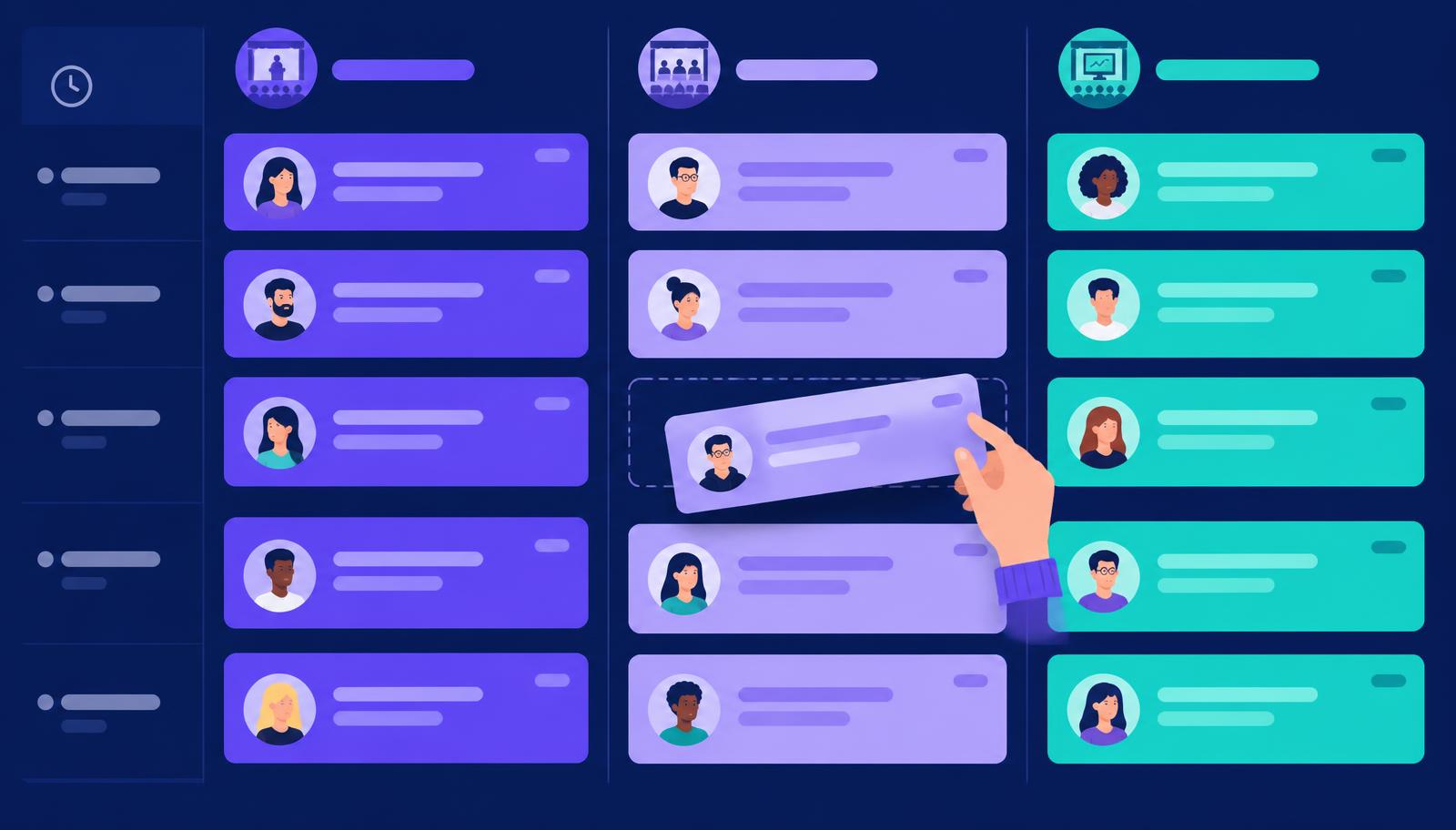
A visual conference agenda builder helps teams see sessions by day, stage and time rather than scanning multiple spreadsheet tabs. Events Guru supports colour-coded stages, session details, speakers, tags and drag-and-drop scheduling so the programme is easier to revise.
4. Give every session a description worth reading
Session titles should be specific enough to help attendees choose. “AI in Business” says little; “Three Practical Ways to Use AI in Customer Support” explains the promise. Include the format, intended audience and expected takeaways in each description.
Use consistent information for each session: title, start and end time, stage, speakers, format, difficulty level where useful, and whether advance sign-up is required. Speaker biographies can add credibility, but the session benefit should remain the focus.
5. Publish one clear, mobile-friendly programme
Your agenda should not live only in a PDF attachment that becomes outdated after every change. Put the schedule on a dedicated event page where people can scan times, browse tracks and find registration without switching tools.
With the Events Guru event website builder, organisers can combine agenda sections with speakers, FAQs, sponsor information and registration blocks. The agenda builder can publish the latest schedule to the event website and embeddable agenda widgets, reducing the risk of conflicting versions.
6. Connect session interest with ticket registration
An agenda can support ticket sales by showing visitors exactly what they will experience. Place a clear registration call to action near the programme, explain what each ticket includes and distinguish general-access sessions from limited-capacity workshops.
If your event uses different admission levels, review the ticketing and payments features alongside your agenda plan. Events Guru supports free and paid ticket types, attendee management and custom registration questions, helping organisers capture the information needed before event day.
7. Create a change-management plan before you need one
Speakers cancel, talks overrun and rooms change. Decide who can approve timetable edits, who updates the live schedule and how changes will be communicated to attendees and venue staff. Keep a named owner for every stage and maintain a simple version history for major programme decisions.
Check the published agenda on desktop and mobile after any significant edit. For last-minute changes, prioritise clear times and locations over decorative formatting.
Multi-track conference agenda checklist
- Define the audience and learning outcome for each track.
- Confirm room capacities and accessibility requirements.
- Place fixed plenary sessions, breaks and lunch first.
- Allow realistic travel and room changeover time.
- Check speaker availability and overlapping audience interests.
- Write useful descriptions and connect speakers to sessions.
- Make registration and ticket inclusions easy to understand.
- Publish a mobile-friendly agenda and test all links.
- Assign an owner for live programme changes.
- Run a final timetable check with venue and production teams.
How Events Guru helps you build and publish your conference programme
Instead of managing separate schedules, website edits and registration tools, Events Guru brings the programme closer to the rest of the event journey. Build a multi-day, multi-stage schedule in the visual agenda builder, display it through your branded event website, and connect it to event ticketing.
Planning a conference? Explore Events Guru for conferences or get started with Events Guru to bring your pages, programme and registrations together.
Frequently asked questions
- How many tracks should a conference have?
- There is no ideal number. Start with your audience, venue capacity and programme depth. Two well-differentiated tracks are often easier to navigate than four tracks with overlapping subjects. Add tracks only when they create meaningful choice.
- What is the best session length for a conference?
- It depends on the format. A short presentation may work in 20–30 minutes, while a panel or practical workshop may need 45–90 minutes. Allow time for questions and transitions rather than filling every minute.
- How do you avoid clashes in a multi-track agenda?
- Check speaker availability, audience overlap and room capacity before publishing. Use a visual schedule to spot sessions running simultaneously and leave time for movement between rooms.
- Should a conference agenda be published before tickets go on sale?
- Publish enough detail to show the event’s value, even if some speakers or times are still being confirmed. Label provisional sessions clearly and update the page as the programme develops.
Ready to launch an event that sells out?
Build your event site, sell tickets and manage the whole show from one place with Events Guru.